Legal & regulation
Clauses retrieved with the definitions that bind them.
Quickly search your files and documents with AI, across 50+ filetypes and 80+ languages. Connect your documents, uploaded directly or synced from SharePoint and other cloud storage. We index and OCR them, and from then on you have a search layer of context for your AI work.
index4.ai plugs straight into your existing AI agent or chatbot. We OCR images, scanned PDFs, and even video, so everything you have becomes searchable. Fully managed, with no infrastructure for you to run.
Your assistant searches the index and answers with the source in hand: the clause from a contract PDF, the row from a spreadsheet, the diagram and page number from a manual, even the right moment in a training video. Documents in other languages come back just as easily.
Every answer carries its citation and its place in the document: section, paragraph, page. That's our patented structure-aware chunking at work: index4.ai knows where every passage sits, so people can check the source instead of trusting a guess.
Connecting takes a minute, whatever you run: Claude, ChatGPT, Cursor, or any agent that speaks MCP. Point it at index4.ai once and your documents are searchable from the conversation. No vector DB to provision, no embeddings to manage. Just a search endpoint your agent can call.
index4.ai is a connector in Claude's directory. Open the listing, click Connect, and sign in when your browser asks. No key, nothing to install.
Available in the Claude connector directoryWorks with Claude on web, desktop, and mobile, and in Claude Code.
A signed one-click bundle for Claude Desktop. Download it, open it with Claude Desktop, and paste your project key into the API key prompt.
MCPB is the MCP bundle format: the whole server, packaged so Claude Desktop can install it in one step.
Add the hosted endpoint to any MCP client's config:
{
  "mcpServers": {
    "index4ai": {
      "type": "http",
      "url": "https://mcp.poma-ai.com/grill"
    }
  }
}
Prefer to run it locally?
npx -y @poma-ai/poma-grill-mcp with your
project key in POMA_API_KEY.
index4.ai builds a true index of what's inside each file, not a bag of text fragments. Every document gets an entry that mirrors its own structure: sections and subsections, tables kept as tables, figures and video scenes described in words. Each element keeps its place in the document, whether that's a section, a page, or a timestamp.
Structure and OCR are what set us apart. Because every element is indexed in its place, a query returns the exact elements along with the context that gives them meaning: a clause with its section, a table with its caption, a figure with its written description. OCR extends the index to scanned pages, images, and video, so content that plain text search never sees becomes findable. Your agents answer precisely, with the source in hand, and read fewer, more relevant tokens than raw text matching or naive chunking would return.
The index is powered by POMA AI's patented structural file chunking technology.

“Bar chart of projected premium income 2026–2028 by region; EMEA leads all three years.”
 03:12
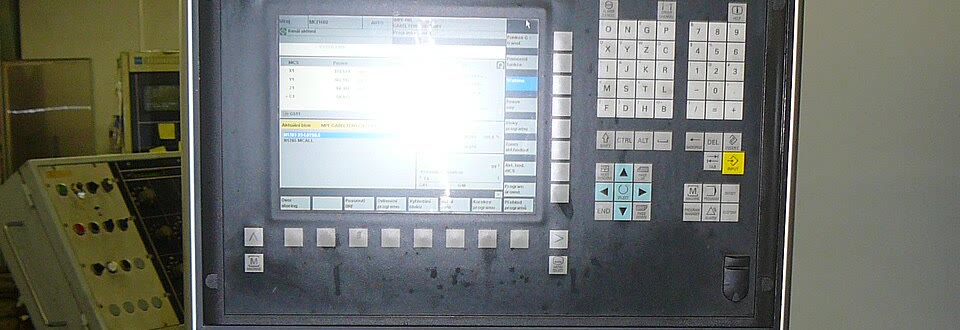
03:12“The machine's operator panel: position readout on screen, cycle-start keys below.”
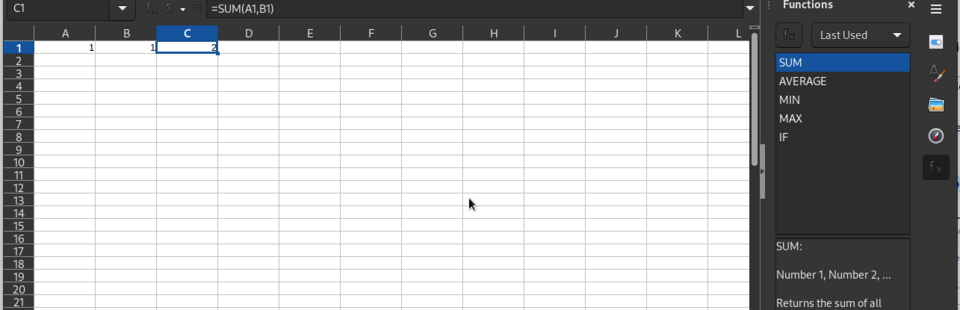
Feeds “R&D subtotal” on the Summary sheet.
Getting started is easy. Simply sign up and, if you want, set up an organisation and project to share with others. You can be searching your documents in minutes, powered by POMA AI's patent-protected chunking.
Contracts, policies, technical specs, clinical requirements: documents whose meaning lives in the relationship between clauses, tables, and footnotes. index4.ai preserves those relationships in the index, so a search finds the answer with its context intact.
Clauses retrieved with the definitions that bind them.
Policy terms paired with their coverage tables, always.
Specs and tolerance tables retrieved together.
Requirements always arrive with their applicability criteria.
index4.ai is built and operated by POMA AI, the Context Engineering company, and runs on POMA’s patent-protected structure-aware chunking technology. Your index4.ai account is a POMA account, and billing, docs, and support are shared.
Yes. MCP standardizes how AI tools connect to data sources and tools, but it does not decide which information is relevant. index4.ai serves your agent the right content over MCP, selecting, structuring, and delivering it, which becomes even more valuable as MCP adoption grows.
Larger context windows theoretically reduce hallucinations by letting models see more at once, but in practice they are expensive to compute and often still miss or skim important details in the middle of long inputs. It is neither practical nor cost-effective to load everything into every prompt, so an effective index stays necessary even with very large windows.
No. Everything is handled end-to-end: there are no embeddings to manage and no vector database to run. You simply connect your documents and search the index from your agent or chatbot.
All you need is to sign up, grab your project key, and connect your documents. The free tier covers 5,000 pages and 1,000 queries. Point index4.ai at a document and start searching.